
Fragmented context
Repository boundaries hide the relationships an agent needs to understand a system end to end.
LOCAL-FIRST · READ-ONLY MCP · OPEN SOURCE
MemoRepo groups related GitHub repositories into isolated Spaces, records the exact commits behind selected branches, and exposes graph-guided discovery plus verifiable snapshot source through a bounded, read-only Model Context Protocol (MCP) gateway.
Designed for one developer on one workstation. Runs locally with Docker Compose on Windows, macOS, and Linux.
THE CONTEXT GAP
Modern systems rarely fit inside one repository. Services, packages, schemas, clients, and infrastructure evolve independently, while many agent workflows see only the current working tree or receive access far broader than the question requires.
Repository boundaries hide the relationships an agent needs to understand a system end to end.
Live branches change. Without a recorded revision, the evidence behind an answer is difficult to reproduce.
General filesystem and shell access expands the trust boundary without making the context more precise.
MemoRepo creates a stable, scoped read model from only the repositories you select.
WHY MEMOREPO
MemoRepo treats code context as an operational artifact: selected deliberately, built reproducibly, inspected visibly, and exposed through a narrow interface.
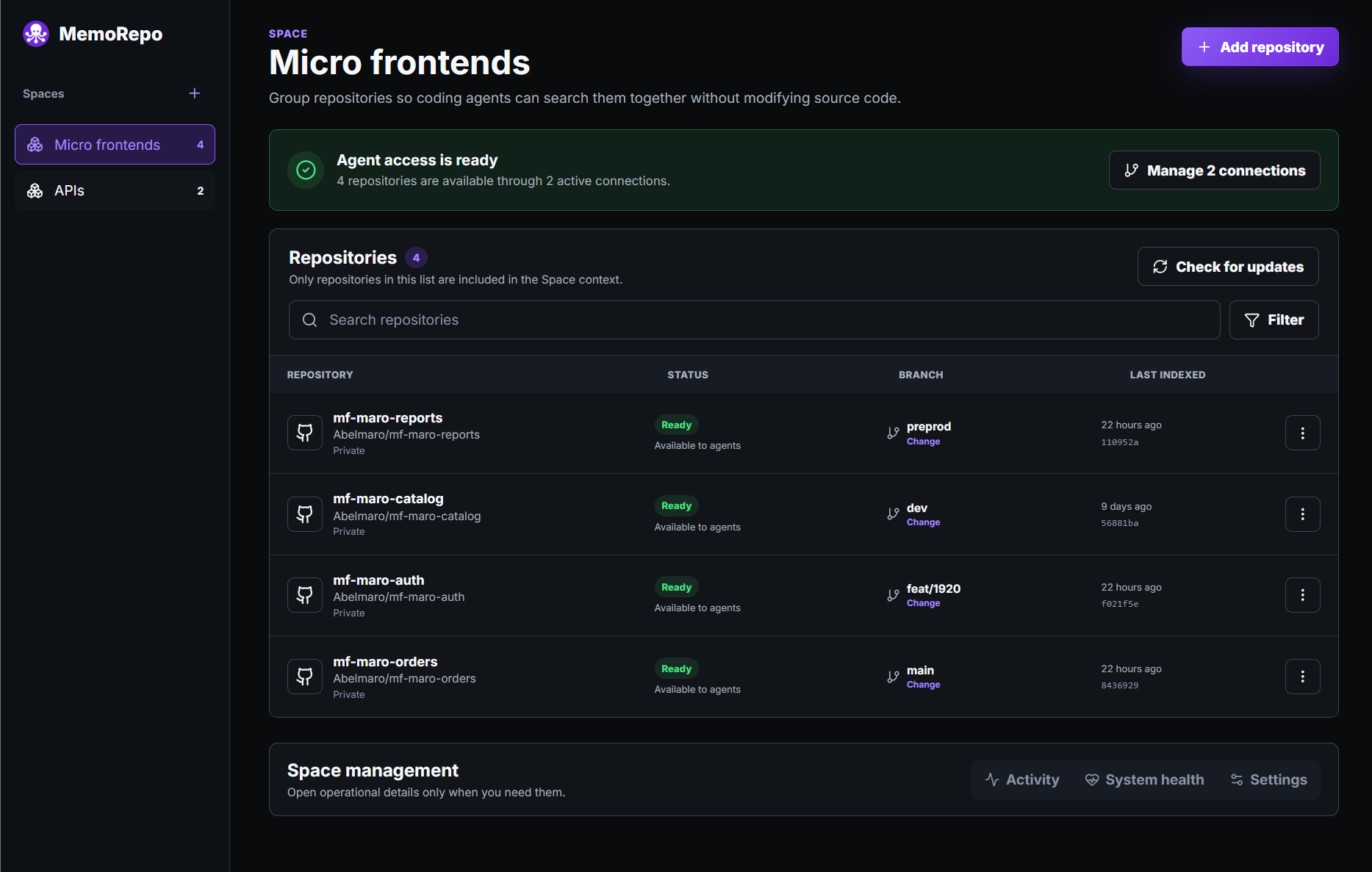
Group related repositories into one shared context. Search across the snapshot or narrow the question to one project.
MemoRepo records resolved commits and activates a replacement only after the complete snapshot succeeds.
Discover relationships in the graph, then verify important claims against the immutable source snapshot.
Each connection reads one Space through bounded query tools—without shell, editor, or write access.
Clones, indexes, state, and credentials remain local. Agent configs receive only Space-scoped access.
Track snapshot quality, jobs, retries, cleanup, and recovery from the dashboard.
HOW IT WORKS
MemoRepo manages the operational path from authorized GitHub access to a bounded query connection.
Use GitHub Device Flow or a read-capable token. Only granted repositories are visible.
Create a named context for the product or domain the repositories form together.
Choose repositories and branches. MemoRepo records the exact commit behind each selection.
Build and index one immutable snapshot. It activates only after the complete build succeeds.
Generate a Space-scoped MCP connection and give the client its separate read-only token.
ARCHITECTURE
The local boundary contains the stateful control plane and the read-only agent gateway; source acquisition and the MCP-compatible client sit outside it.
Graph discovery accelerates investigation. Immutable source is the authority for exact claims; exhaustive and negative claims also require complete coverage, untruncated results, and finished pagination.
Repository credentials are not embedded in generated MCP configurations.
Architecture flow: GitHub repositories are cloned into MemoRepo's local boundary, which also contains the dashboard, control API, and SQLite state. MemoRepo records selected-branch commits, materializes exact trees in a content-addressed store, builds one immutable Space snapshot, and combines a shared code graph with direct source verification. A Space-scoped read-only MCP gateway then serves the active snapshot to an MCP-compatible coding agent outside the MemoRepo boundary.
SUPPORTED SECURITY BOUNDARY
MemoRepo reduces the agent-facing surface by separating control access from snapshot query access and exposing only bounded, read-only MCP tools.
The dashboard and API bind to the local machine in the supported Docker Compose setup.
The control plane and each MCP connection use separate bearer credentials. Deleting a connection revokes its token independently.
Repository-access credentials are not included in generated MCP configurations or normal model prompt and tool payloads. The MemoRepo control token is also excluded from model payloads.
The MCP gateway does not expose a shell, terminal, editor, arbitrary filesystem browser, web browser, external app gateway, or write operations.
Snapshot tools accept bounded repository-relative inputs, reject unsafe paths, and sanitize internal paths from normal responses.
Optional in-dashboard inference starts only after a disclosure explains that questions, chat history, query results, and relevant code excerpts may be sent to the selected provider.
Supported deployment boundary
MemoRepo is designed for trusted local use by one developer on one workstation. It is not a supported public, network-exposed, reverse-proxied, or multi-user service.
MemoRepo manages local code context and exposes a narrow read model. The MCP-compatible client remains the agent.
The boundary is part of the product—not a limitation hidden behind marketing copy.
QUICKSTART
Start from a clean checkout. Productive local use requires Docker Desktop or Docker Engine; direct Node workspace execution is for development.
git clone https://github.com/abelmaro/MemoRepo.git
cd MemoRepocp .env.example .envopenssl rand -hex 32Set the generated value in .env as MEMOREPO_CONTROL_TOKEN. Treat the control token and generated MCP configurations as local secrets.
docker compose up --buildUse the native file-copy command and cryptographic token generator on Windows.
Copy-Item .env.example .env[Convert]::ToHexString([Security.Cryptography.RandomNumberGenerator]::GetBytes(32)).ToLowerInvariant()Set GH_TOKEN only when you want to skip the default OAuth Device Flow. It must be able to read every repository you plan to index and takes priority over a stored OAuth credential.
GH_TOKEN=your-github-tokenOpen http://127.0.0.1:5173, unlock the dashboard with the control token, connect GitHub, create a Space, add repositories, wait for the immutable snapshot to become active, and generate a read-only MCP connection.
The short answers below reflect MemoRepo's documented local operating contract.
It gives coding agents one reproducible context across related repositories, with graph-guided discovery, direct source verification, and a read-only MCP boundary.
No. MemoRepo prepares and serves bounded code context. Your MCP-compatible client remains the agent that asks questions and uses the returned evidence.
No. The MCP gateway does not expose source editing, commits, pushes, merges, pull requests, a shell, or arbitrary filesystem access. The control plane separately manages its own local clones, snapshots, jobs, and SQLite state.
Core clones, snapshots, indexes, and operational state remain local. Optional Ask this Space inference can send disclosed questions, chat history, query results, and relevant code excerpts to the selected provider after explicit consent. Repository-access credentials and the MemoRepo control token are excluded from those model payloads.
MCP tools read the Space's active immutable snapshot rather than a live working tree, and initialization reports its version. A successful rebuild can change the active snapshot used by later MCP calls. Ask this Space chats remain pinned to the snapshot active when they were created.
No. The supported target is trusted local use by one developer on one workstation through Docker Compose.
Windows and macOS through Docker Desktop, and Linux through Docker Engine or Docker Desktop.
DOCUMENTATION
The repository documentation defines setup, tool behavior, limits, releases, and the supported security boundary.

START WITH A SPACE
Give your coding agent one reproducible view of the repositories that belong together—without giving it control of your source.